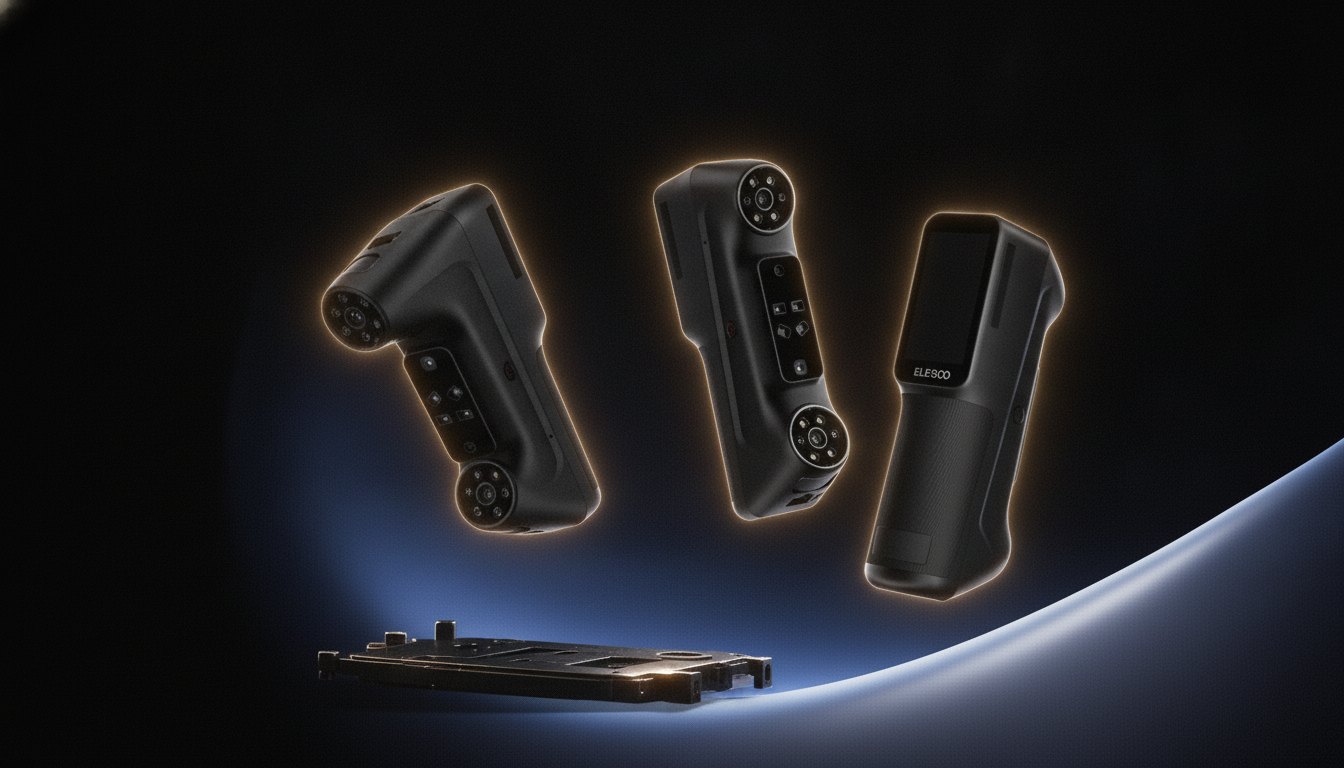
Half the products I design start with measuring something awkward: a camera body, a lens barrel, a drone frame. A 3D scanner promises to skip the callipers. This autumn the two biggest consumer printer brands moved into scanning: Elegoo’s M1 Ultra is on sale, and Bambu Lab’s S1 is due in November.
What’s new
Elegoo M1 Ultra (on sale since 29 October 2026)
- Two light sources: blue laser (34-line, 7-line, single-line and marker-free modes) and infrared structured light, five modes in all.
- Accuracy up to 0.02 mm in blue-laser mode; volumetric accuracy 0.02 mm + 0.06 mm/m.
- Scans black and metallic surfaces without spray, per Elegoo.
- Full-colour texture, 3-inch touchscreen, Wi-Fi 6 and a swappable battery.
- Exports STL, OBJ, PLY and ASC.
Bambu Lab S1 (announced 12 October, launch planned for November 2026)
- A handheld pistol-grip scanner, Bambu’s first.
- Price, scanning technology and accuracy haven’t been published yet.
Specs and price
| Elegoo M1 Ultra | Bambu Lab S1 | |
|---|---|---|
| Price | US$1,699 (US$1,599 early bird) | Not announced |
| Technology | Blue laser + infrared structured light | Not announced |
| Best accuracy | 0.02 mm (blue laser) | Not announced |
| Object size | 5 mm cube up to 4 m cube | Not announced |
| Colour | 24-bit texture | Not announced |
| Status | On sale | Due November 2026 |
Ease of use: what a scanner really gives you
A scanner gives you a mesh, a skin of triangles. CAD tools like Shapr3D work with solid bodies. You don’t edit a scan into a product; you use it as a reference and model clean geometry on top. That’s still a huge time saver for organic shapes: grips that follow a camera’s curves, mounts for an odd-shaped drone arm, a replacement part with no drawings.
Tom’s Hardware’s review of the M1 Ultra flagged the practical costs: most projects need several scans aligned together, there’s no turntable in the box, and processing wants a powerful PC (their recommendation is a recent Core i7 with an RTX 4060-class GPU and 32 GB RAM).
Who it’s for
- Worth it: if you sell accessories for specific products (camera grips, gimbal mounts, car parts) and design new ones every month.
- Not yet: if your parts are mostly boxes, brackets and flat faces. Callipers and a good sketch are faster and more accurate.
- Wait for the S1 if you’re in the Bambu ecosystem: price and software integration will decide it.
Customise it: my scan-to-product workflow
- Scan the object; export STL or OBJ.
- Clean and simplify the mesh in the scanner software. Fewer triangles means a smoother CAD session.
- Import the mesh into Shapr3D as a reference.
- Sketch on its key faces and build clean solid geometry over it.
- Check the fit with callipers on the real object anyway. Scans are great for shape, callipers for critical fits.
bossLab verdict: the M1 Ultra makes serious scanning affordable, and it’s a real tool if you design around complex shapes. But it’s a reference tool, not a shortcut to a finished product, and it needs a strong PC. I’m waiting to see the S1’s price before deciding.
Sources: 3D Printing Industry · Tom’s Hardware review · Bambu Lab S1: what’s known
Would you buy it, skip it, or wait for version two? Tell me in the comments below. I read every one.