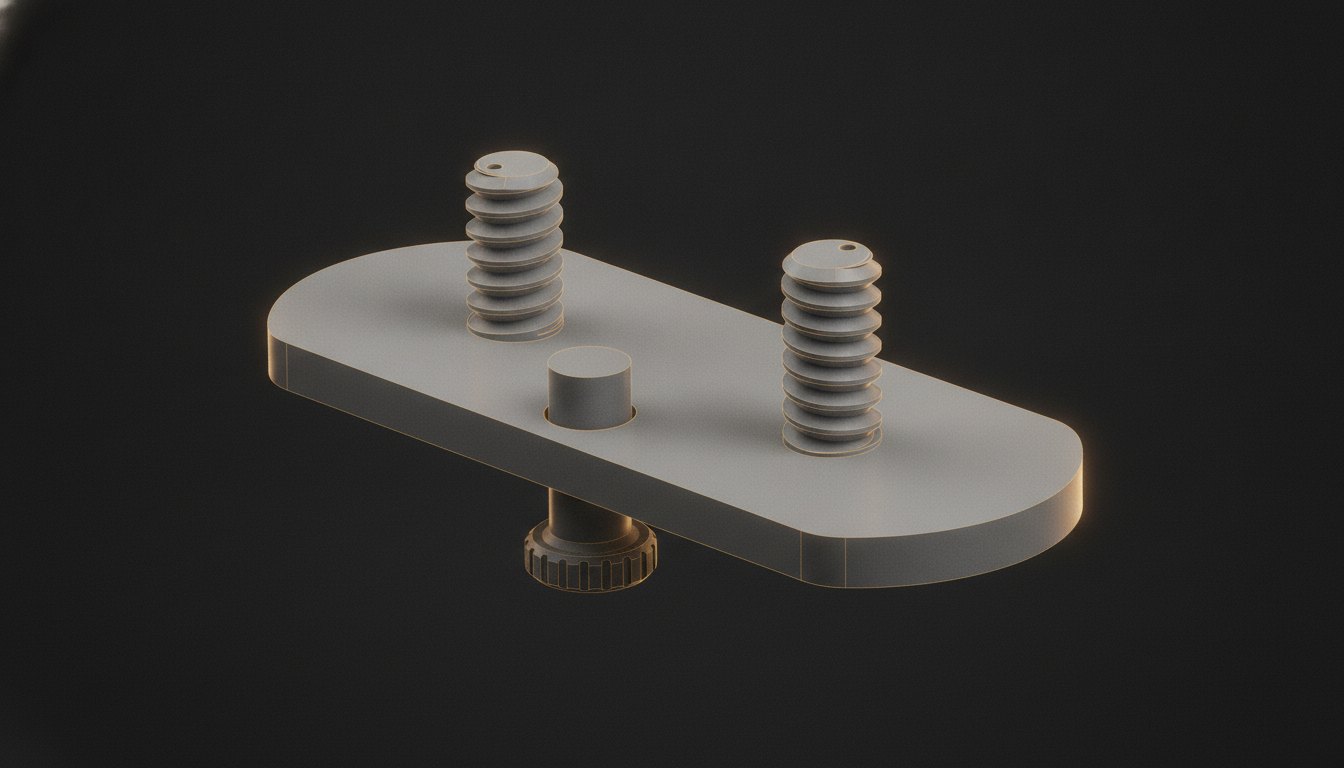
If you have ever tried to edit an STL in Shapr3D, you know the wall you hit. The file comes in as a mesh, a shell of triangles, and you can look at it, measure it and not much else. Version 26.220, released on 25 November, changes that: STL and 3MF files can now be converted into editable solids as they import. Pair that with the Thread tool from 26.210 two weeks earlier, now with 3D-printing thread profiles, and this is the most useful pair of Shapr3D updates for print sellers this year.
I design my printable products in Shapr3D on PC, so I read release notes like these with one question: does it save me time on things people actually buy? On paper, yes. Here is what changed, what it costs and where I’d be careful.
What’s new in 26.210 and 26.220
The two releases land a fortnight apart, so it makes sense to read them together.
- STL and 3MF to editable solids (26.220): conversion happens during import, with an adjustable time limit for the conversion. Before this, 3MF import (added in 26.210) gave you a mesh you could not edit, which users were quick to point out on the forum.
- Thread tool (26.210): real thread geometry on cylindrical faces, inside or out, with standard, size, pitch, direction and length settings. It sits in the Design History, so you can change it later.
- Threads for 3D printing (26.220): 90° thread profiles, adjustable clearance, automatic runout chamfers and better handling of thin walls. One forum user reported a clean result at 0.1mm clearance.
- More imports (26.220): SketchUp SKP files as meshes, with an option to convert compatible geometry to solids, OBJ with colours and textures, and better SVG and PDF import.
- Modelling tools (26.220): Primitives (box, sphere, cylinder, cone), Bridge Curve, Intersection Curve, curvature combs, Find Open Ends for sketches that refuse to close, and Shell with sharp or round corners.
- Housekeeping: Recently Deleted keeps projects for 30 days, history groups tidy long timelines, and quick measurements pop up on hover.
Specs that matter for print sellers
| Feature | Version | Why it matters |
|---|---|---|
| STL/3MF to solid | 26.220 | Edit downloaded or old files |
| Thread tool | 26.210 | Screw lids, mounts, adaptors |
| 90° print threads, clearance | 26.220 | Threads that print without supports |
| Find Open Ends | 26.220 | Fixes sketches that won’t extrude |
| Windows requirement | 26.220 | DirectX 12 now required |
That last row is worth checking before you update an older Windows PC: Shapr3D says DirectX 11 is no longer supported.
How it compares: edit STL in Shapr3D vs the old way
Until now, the honest answer to “can I edit an STL in Shapr3D” was “redraw it”. You imported the mesh as a reference, measured it, then rebuilt the part as a solid over the top. That works, and it is still the right approach for a part you plan to sell, but it eats an evening.
| Task | Before 26.220 | Now |
|---|---|---|
| Resize a hole in an STL | Redraw the part | Convert, then edit |
| Add a thread | Download a thread model or fake it | Thread tool with print profile |
| Reuse a 3MF | Mesh only | Convert on import |
| Scanned mesh | Reference only | Try converting; results will vary |
My caution: a mesh made of flat triangles does not magically become clean curves. A boxy bracket should convert well; a scanned or sculpted shape will likely come out as many small faces that are awkward to fillet or shell. Shapr3D’s note that SketchUp conversion works on “compatible geometry” hints at the same limit. If you are thinking about a scanner for this, I compared two in Elegoo M1 Ultra vs Bambu Lab S1 for scan-to-CAD, and the advice there still stands: use the scan as a reference, model the fit surfaces yourself.
Fusion has had mesh conversion for years, and it remains the more complete mesh workspace. But Fusion’s free Personal licence is for non-commercial use, which rules it out if you sell your designs, and its learning curve is steeper. Shapr3D closing this gap removes one of the main reasons I’d have sent a seller to Fusion.
Price check
The conversion and thread tools are in the app itself; the plan decides what you can export. Prices below are what Shapr3D’s site showed me today, in US$ including tax.
| Plan | Monthly | Yearly |
|---|---|---|
| Free | US$0 | US$0 |
| Solo | US$37.99 | US$199.99 |
| Studio (per editor) | US$53.99 | US$449.99 |
Free gives you 2 projects, basic-quality STL and 3MF export and 20 generative renders a month. Solo adds unlimited projects, STEP, IGES, DXF, DWG and OBJ export, technical drawings and 100 renders a month. Solo and Studio have a 14-day free trial, and students and educators get a free year. I couldn’t find a Malaysian ringgit price, so I’ve left that out. Paying monthly costs more than double the yearly price over twelve months, so if you are selling designs, go yearly.
Ease of use
Shapr3D’s strength has always been that it feels like sketching rather than programming, and these tools follow that pattern. The Thread tool is select a face, pick a size, click away, with the settings on a parameter card you can revisit. A few forum users said the tool only appears once a threadable cylindrical face is selected, so if you can’t find it, select the face first. Find Open Ends is the quiet hero for beginners: a sketch that won’t close is the most common reason a first model refuses to extrude.
Who it’s for
- Print sellers with an old STL back catalogue. If you lost the source files for early designs, converting them back to solids could save real rework.
- Makers who remix. Changing a hole size or adding a mounting boss to a licensed remixable model is now a quicker job. Check the licence first, as I covered in design contests worth entering now.
- Anyone printing threads. Jars, lens caps, filter adaptors, battery boxes, FPV antenna mounts.
Skip it, or at least don’t pay yet, if you mostly print other people’s models unchanged. The free tier will let you try the tools on 2 projects.
Customise it: what I’d make with this
- Threaded lens accessories: filter step rings and screw-on hoods for vintage glass, where a 90° print profile and tuned clearance matter more than a perfect ISO thread.
- Fixing customer requests: “can you make it 2mm wider?” is a five-minute job on a converted file instead of a redraw.
- RC and FPV parts: converting a body post or mount someone shared, then adding a thread for a thumb screw. If you like printed RC projects, see the Bambu Lab CyberBrick RC truck.
My workflow advice from Shapr3D in 2026: the features that help you design prints people buy still applies: convert to save time on the shape, but redraw any surface that has to fit something real.
Quick answers
Can you edit an STL file in Shapr3D?
Yes, from version 26.220. STL and 3MF files can be converted to editable solids during import. Simple, flat-faced parts convert best; organic or scanned meshes may still be easier to redraw.
Is Shapr3D free?
There is a free plan with 2 projects and basic-quality STL and 3MF export. Paid Solo costs US$199.99 a year or US$37.99 a month on Shapr3D’s site, with a 14-day trial.
Can you make threads in Shapr3D?
Yes. The Thread tool arrived in 26.210 and creates real thread geometry on cylindrical faces. Version 26.220 added 90° profiles and adjustable clearance for 3D printing.
Is Shapr3D good for 3D printing?
For designing printable products, yes. It exports STL and 3MF on every plan, and with print-friendly threads and mesh conversion it now covers most of what a print seller needs.
bossLab verdict: 26.220 finally answers the question I get most about Shapr3D: yes, you can edit an STL now. I’d still redraw anything that has to fit precisely, but for quick changes, old files and printable threads, this update earns its place. Try it on the free plan before committing.
Sources: Shapr3D 26.220 release notes · Shapr3D 26.210 release notes · Shapr3D Thread tool guide · Shapr3D pricing
Would you buy it, skip it, or wait for version two? Tell me in the comments below. I read every one.