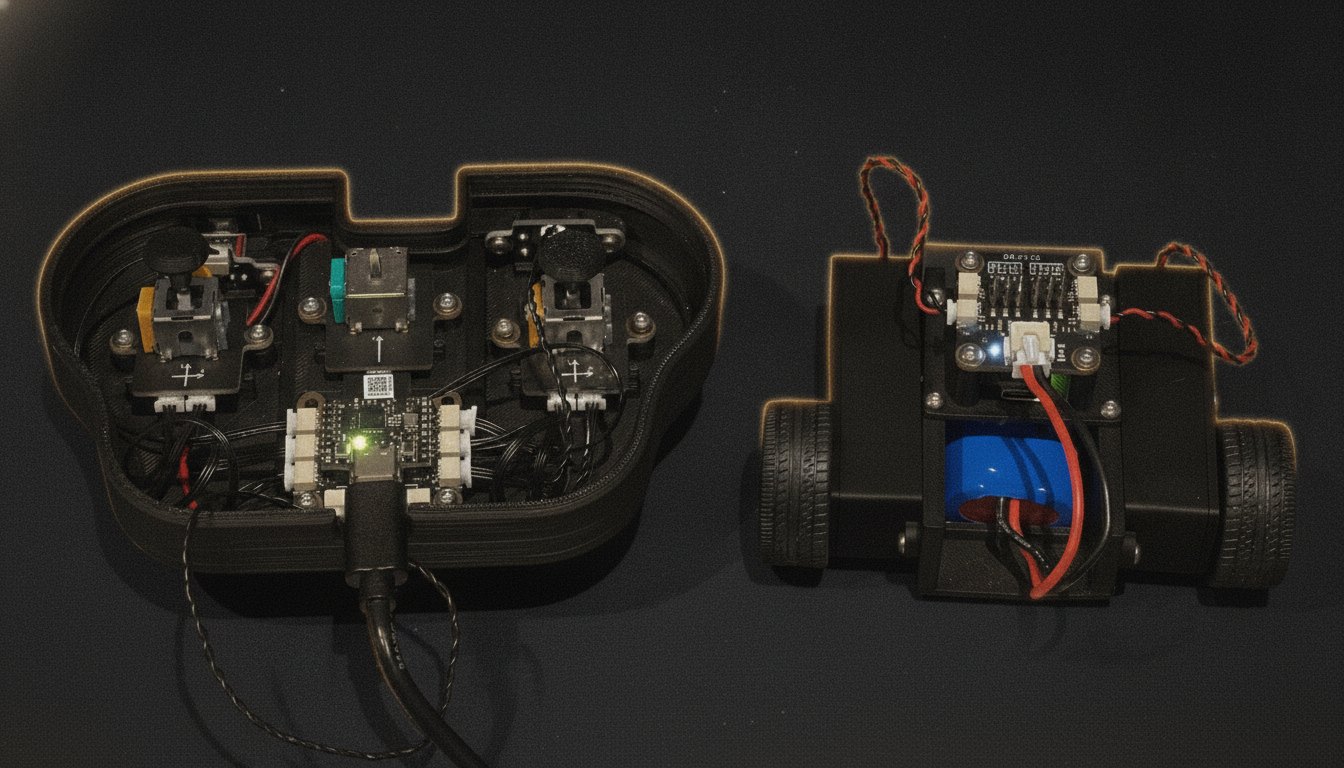
I’ve been planning a modular 3D-printed RC car, so Bambu Lab’s CyberBrick caught my eye. It’s a solderless electronics system for printed vehicles and robots: you print a model from MakerWorld, plug in the boards, motors and servos, and drive it with a printed remote. MakerWorld is even running a CyberBrick contest for truck attachments and trailers until 20 December.
What’s in the beginner hardware kit
- Two ESP32-C3 core boards: one in the remote (transmitter), one in the vehicle (receiver). Plug-on shields set each board’s role.
- Controls: two dual-axis joysticks, a single-axis stick, a three-position rocker, a power switch and a button.
- Outputs: two 030 micro motors with 1:48 gearsets, a differential gear kit, four rubber tyres, a 180° servo, a 360° servo, and addressable RGB LEDs.
- Power: a 7.4V battery with USB charger for the vehicle, and an AAA box for the remote.
Specs and price
| CyberBrick beginner kit | |
|---|---|
| Brains | 2 × ESP32-C3 core boards |
| Programming | App-based rules; MicroPython in beta (2,048 characters) |
| Soldering | None |
| Models | Free on MakerWorld |
| Price (UK review) | £37.99 full retail, around £27 on sale |
How it compares with a hobby-grade RC car
| CyberBrick printed truck | Hobby-grade RTR (e.g. Traxxas) | DIY ELRS build | |
|---|---|---|---|
| Speed | Toy-like | 35 to 60+ mph | Whatever you build |
| Cost to start | Low | US$300+ | Medium |
| Learning value | High: gears, servos, logic | Low | Very high |
| Customisation | Print anything around the kit | Hop-up parts | Total |
| Range and link | Short, ESP32-based | Good | Excellent with ExpressLRS |
Ease of use
The app does most of the work: you bind inputs to outputs and set simple rules, with no coding needed for a basic vehicle. The MakerHacks review found the onboarding slow and thin on documentation, and noted the firmware is locked (no custom firmware), there are no sensors or displays, and the vehicle’s outputs need the battery connected, not just USB.
Who it’s for
- Kids and parents building together: print, assemble, drive, then redesign.
- Makers learning mechanisms: building the gearbox teaches reduction better than any diagram.
- Skip it if you want speed or range. That’s hobby-grade or a DIY ExpressLRS build.
Models to print, and customise it
- Start with the official MakerWorld trucks, then try community models built only from kit parts. Some print in about two hours.
- Design your own body in Shapr3D around the kit’s motor and servo mounts. Measure the parts, don’t trust photos.
- Enter the MakerWorld CyberBrick Truck Attachments and Trailers contest (closes 20 December, UTC): winches, tippers and trailers are perfect first designs.
bossLab verdict: a cheap, clever way into printed RC and robotics, especially with kids. The locked firmware and thin documentation limit serious hackers, but as a design playground backed by free MakerWorld models, it’s great value.
Sources: MakerHacks CyberBrick review · MakerStats contest tracker
Would you buy it, skip it, or wait for version two? Tell me in the comments below. I read every one.